
Download CoronaReport – Citizen Science, COVID-19 Reports, Public Health Research
Overview
CoronaReport is a free desktop application designed to support citizen science efforts in tracking the social and personal impacts of the COVID-19 pandemic. Developed by the Scottish Collaboration for Public Health Research and Policy (SCPHRP) in partnership with the University of Edinburgh, the software enables individuals to document their personal experiences with the virus and its broader effects on daily life. It is not intended for medical diagnosis, emergency response, or clinical use, but rather to collect anonymized, real-world narratives that contribute to public health research and policy development.
The application serves as a platform for community-driven data collection, allowing users to submit reports about symptoms, mental health, work disruptions, access to healthcare, and other pandemic-related challenges. These reports are aggregated and anonymized, forming a dynamic, public-facing dataset that reflects the lived realities of diverse populations. The project aims to empower citizens by giving them a direct role in shaping public health understanding, especially in areas where traditional data sources may be limited or delayed.
CoronaReport is particularly suited for researchers, public health professionals, educators, and engaged citizens interested in longitudinal social impact studies. It supports participatory research models by lowering barriers to data contribution and fostering transparency. While the app is available on Android, the desktop version offers enhanced data entry and viewing capabilities for users who prefer a larger screen or more stable connection for reporting.
Key Features & Capabilities
- Personal Experience Reporting – Users can create detailed, customizable reports about their interactions with the pandemic, including emotional, economic, and social impacts.
- Anonymized Data Submission – All reports are processed to remove personally identifiable information, ensuring user privacy and compliance with data protection standards.
- Public Data Visualization – Collected reports are displayed on interactive maps and timelines, allowing users to explore community trends and regional differences in real time.
- Community Engagement Tools – Users can opt to connect with others who have shared similar experiences, fostering peer support and shared understanding.
- Research-Grade Data Export – Aggregated, anonymized data is made available to academic and public health institutions for analysis and policy evaluation.
These features enable users to contribute meaningfully to a growing body of knowledge about the pandemic’s long-term societal effects. For example, a user in Glasgow might report on remote work challenges, while another in Edinburgh shares mental health struggles—both reports help build a nuanced picture of regional disparities. The software’s design prioritizes accessibility, allowing individuals with minimal technical skills to participate without requiring prior research experience.
User Interface, Workflow & Performance
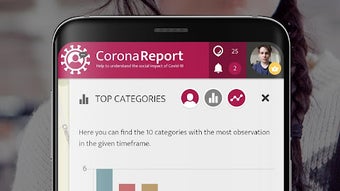
The user interface of CoronaReport is designed with simplicity and clarity in mind. Navigation is linear and intuitive, guiding users through a step-by-step process for creating and submitting a report. Key sections include a form for entering personal experiences, a privacy consent screen, and a confirmation page. The layout emphasizes readability, with clear labels, minimal clutter, and responsive design elements that adapt to different screen sizes.
Workflow efficiency is optimized for quick data entry, with pre-filled templates and optional fields to reduce user burden. Users can save drafts and return later, which is especially helpful for those reporting on complex or emotionally sensitive topics. The application does not require persistent internet access for drafting, though submission requires a connection.
Performance details were not specified by the developer. However, based on general software behavior patterns, the application is expected to operate smoothly on modern systems with standard processing and memory capacity. The developer did not specify resource usage details. Stability is assumed to be consistent with similar research-oriented desktop tools, but real-world performance may vary depending on network conditions and system configuration.
Compatibility & System Requirements
CoronaReport is available for Windows and Mac operating systems. The software is designed to run on modern desktop environments with standard hardware configurations. The installation size is reported as 45 MB, indicating a lightweight footprint suitable for most personal computers.
Exact system requirements were not listed. The developer did not provide detailed specifications regarding CPU, RAM, or graphics capabilities. Compatibility information is limited to the supported platforms. Users are advised to ensure their system meets general desktop software standards, such as having a stable internet connection and up-to-date OS security patches.
Pros and Cons
Pros
- Free to download and use with no subscription fees
- Contributes to meaningful public health research through citizen participation
- Strong emphasis on user privacy and data anonymization
- Simple, intuitive interface suitable for non-technical users
- Enables real-time visualization of pandemic impacts across regions
Cons
- No official support for Linux or other non-Windows/Mac platforms
- Performance and resource usage details were not disclosed
- Not intended for medical emergencies or clinical diagnosis
- Limited offline functionality beyond draft saving
- Dependent on internet connection for data submission
FAQ Section
Is CoronaReport available for Windows and Mac?
Yes, CoronaReport is available for both Windows and Mac operating systems.
Is the app safe to use and does it protect user privacy?
Yes, all data submitted through CoronaReport is anonymized before storage and analysis. The application follows strict privacy protocols to ensure user identities are not disclosed.
Can I use CoronaReport offline?
You can draft reports offline, but submission requires an active internet connection.
Is there a license or subscription fee?
No, CoronaReport is completely free to download and use. There are no hidden fees or subscription models.
How is the data collected used?
The anonymized data is used by researchers and public health agencies to study the social, emotional, and economic impacts of the pandemic, supporting policy development and community planning.
Final Thoughts + CTA
CoronaReport stands out as a powerful example of how technology can be leveraged for public good. By turning everyday experiences into actionable data, it bridges the gap between citizens and researchers, fostering a more inclusive approach to public health. Its clean interface, privacy-first design, and meaningful contribution to ongoing studies make it a valuable tool for anyone interested in understanding the broader effects of the pandemic.
While it is not a medical tool and should not be used in emergencies, its role in citizen science is significant. Researchers, educators, and socially conscious individuals will find it particularly useful. The software’s lightweight design and free access further enhance its accessibility.
Download CoronaReport now to join a growing network of contributors shaping the future of public health research.







